iOS
Distribute ad-hoc and enterprise iOS builds to testers
Introduction
Developers can use Buildstash to distribute ad-hoc and enterprise signed iOS builds directly to testers.
As a user, you may have an iOS app download shared with you from Buildstash via a distribution group email, share link, or portal.
Installing an app
To install an iOS app, you will need to open the download page the developer has shared with you in Safari on your iOS device.
The installation will only work in Safari, and if you attempt to open it in a different browser you should see a warning message directing you to open Safari.
Once the downloaded has completed, you will see a dialog to confirm the installation. Tap "Install" to continue.
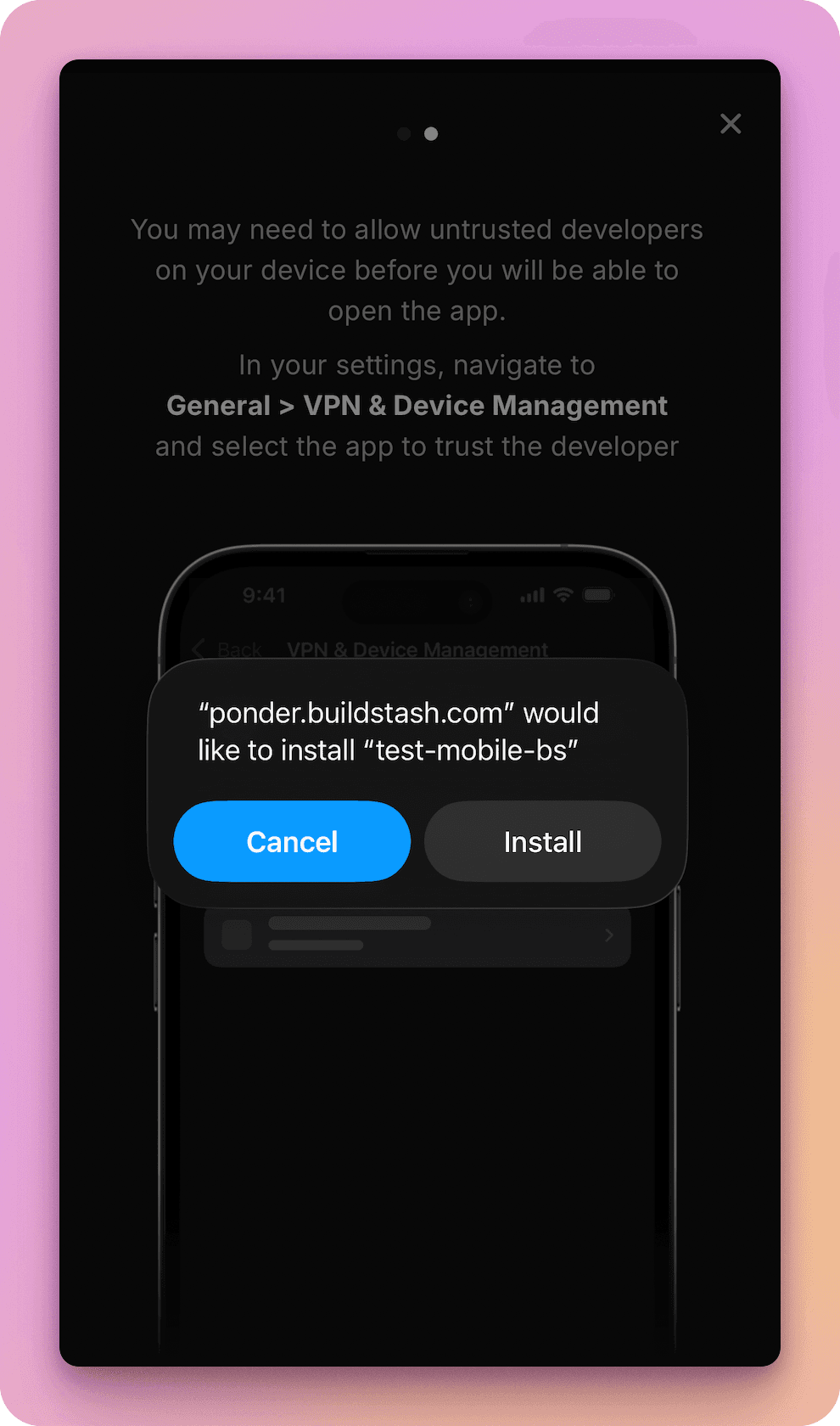
If you haven't previously installed an app from this developer, you may have to "trust" with the developer in iOS Settings > General > VPN & Device Management. The Buildstash install flow will guide you through this.
Troubleshooting
In case you encounter any issues installing an iOS app, there are a few common causes and solutions:
“Untrusted Enterprise Developer” error
This is an enterprise signed app, and you haven't "trusted" the developer yet. You must trust the developer under "VPN & Device Management" following the steps above
“Unable to Download App” error
This error may be prompted due to multiple reasons. You should rule out these causes, and then contact the app developer if issues persist:
- iOS version is not compatible with this build: you should see the supported iOS version on the download page
- Your device storage is full: clear space then try again
- Download failed, check your connection is stable and try again
- App may be over 50 MB, with download blocked while not connected to Wi-Fi
- Your device UDID isn't included in the provisioning profile: for non-enterprise apps your device must be explicitly included in the provisioning profile, contact the developer to resolve
- The build is incorrectly signed or has broken entitlements: the developer must resolve
After tapping "Install" nothing happens
This may occur for a number of reasons:
- iOS version is not compatible with this build: you should see the supported iOS version on the download page
- Download failed, check your connection is stable and try again
- Your device UDID isn't included in the provisioning profile: for non-enterprise apps your device must be explicitly included in the provisioning profile, contact the developer to resolve
- The build is incorrectly signed or has broken entitlements: the developer must resolve
- If you have previously installed this app from a different source and there is a version conflict, the installation may silently fail. Uninstall the previous version then try again
If issues persist, it is likely the app has not been properly prepared for your device - contact the developer to resolve.