Portals overview
Create and manage distribution portals
Introduction
Portals allow you to create a customized space, branded for your team, to share releases or entire build streams with your users.
Each portal is provided with its own custom subdomain, and optionally can even be hosted on your own website.
There are two types of portals:
- Public portals: Accessible to anyone with the link, ideal for open source projects, sharing releases and/or build streams direct with users
- Private portals: Require a portal-specific login you provision for selective users, ideal for a secure shared space with external collaborators, such as an agency sharing releases with a client
Create a portal
Go to "Portals" in the application sidebar, and select "New portal".
For now only public portals are available, see note on private portals below.
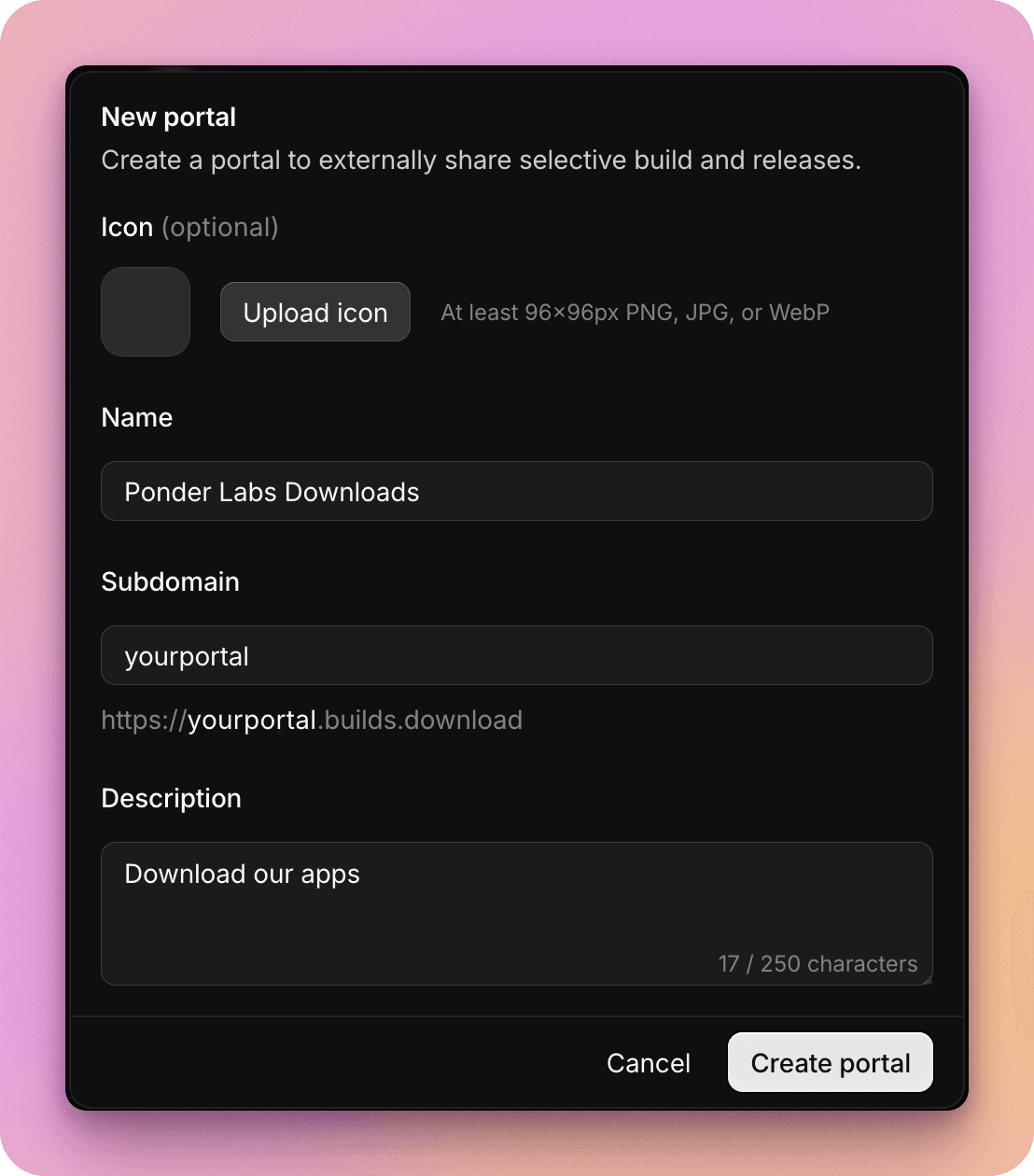
You can provide an icon to be used for your portal, and a custom subdomain.
Connect application to portal
Once you've created your portal, you can select which applications you want to link to it, to make specific build streams or releases available.
For each linked application, you will define how you would like to link build stream within this application, and releases, to the portal.
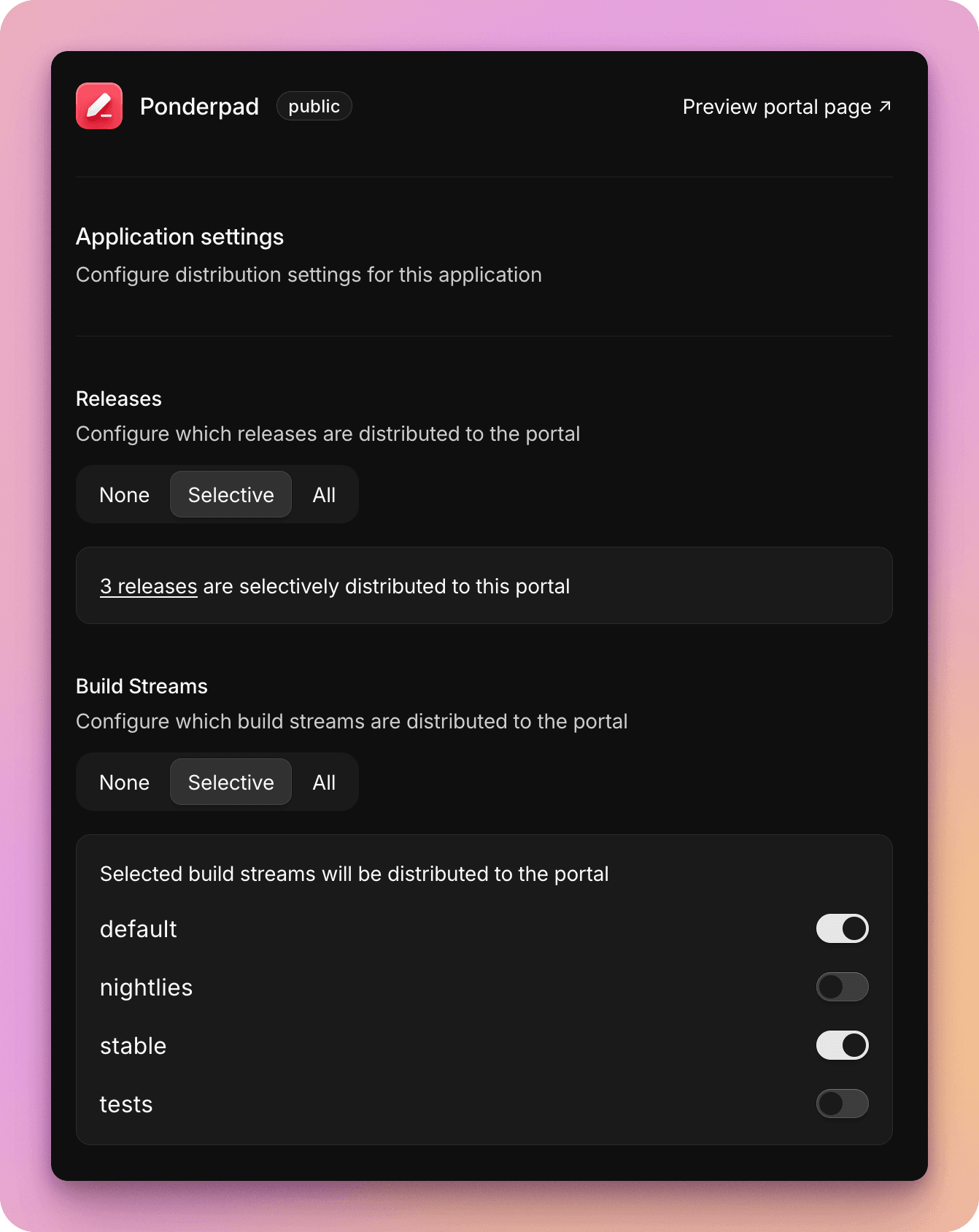
Build streams
You can select to make build streams for this application available to the portal in three different modes:
- All: All build streams will be available to the portal, and ALL builds within your application
- Selective: You can choose what specific streams you'd like to be available, for example only publishing a 'stable' stream, while keeping other streams internal only
- None: No build streams are available - perhaps as you only want to make manual releases available to this portal
Releases
For application releases you can publish to the portal in one of three modes:
- All: All releases you create within this application will be automatically published to the portal
- Selective: You can choose what specific releases you'd like to be available - once a release is created, it's a manual step to "publish" it to the portal
- None: No releases are available to the portal - perhaps as you only want to use it for build streams
Sharing a public portal
Your portal will be hosted on a custom subdomain which you can share directly with your users, or link to from your website.
It can share releases and build streams selectively from one application or multiple, based on your configuration.
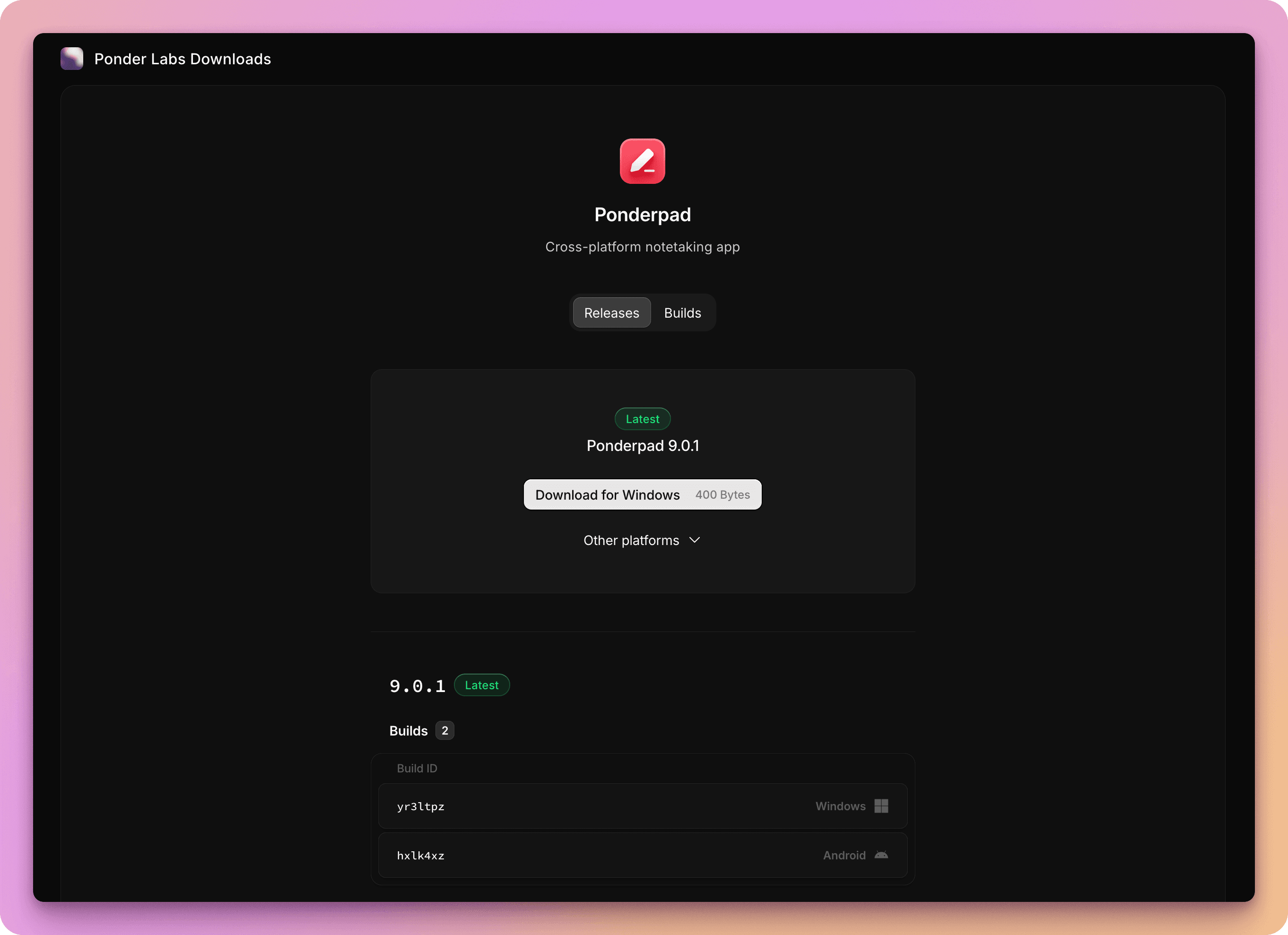
Build streams include customizable filter applications across different platforms, making it easy to browse and source specific builds.
Private portals
Private portals are currently in development, and will be launching soon. Keep an eye on our roadmap.