Using releases
Create and manage releases
Introduction
A release can have one or multiple builds attached to it, across different platforms.
Releases are a way of grouping builds under a single release number, attaching release notes, and allowing for a better distribution flow to users.
Creating a release
Releases are created under your application, in the "Releases" tab.
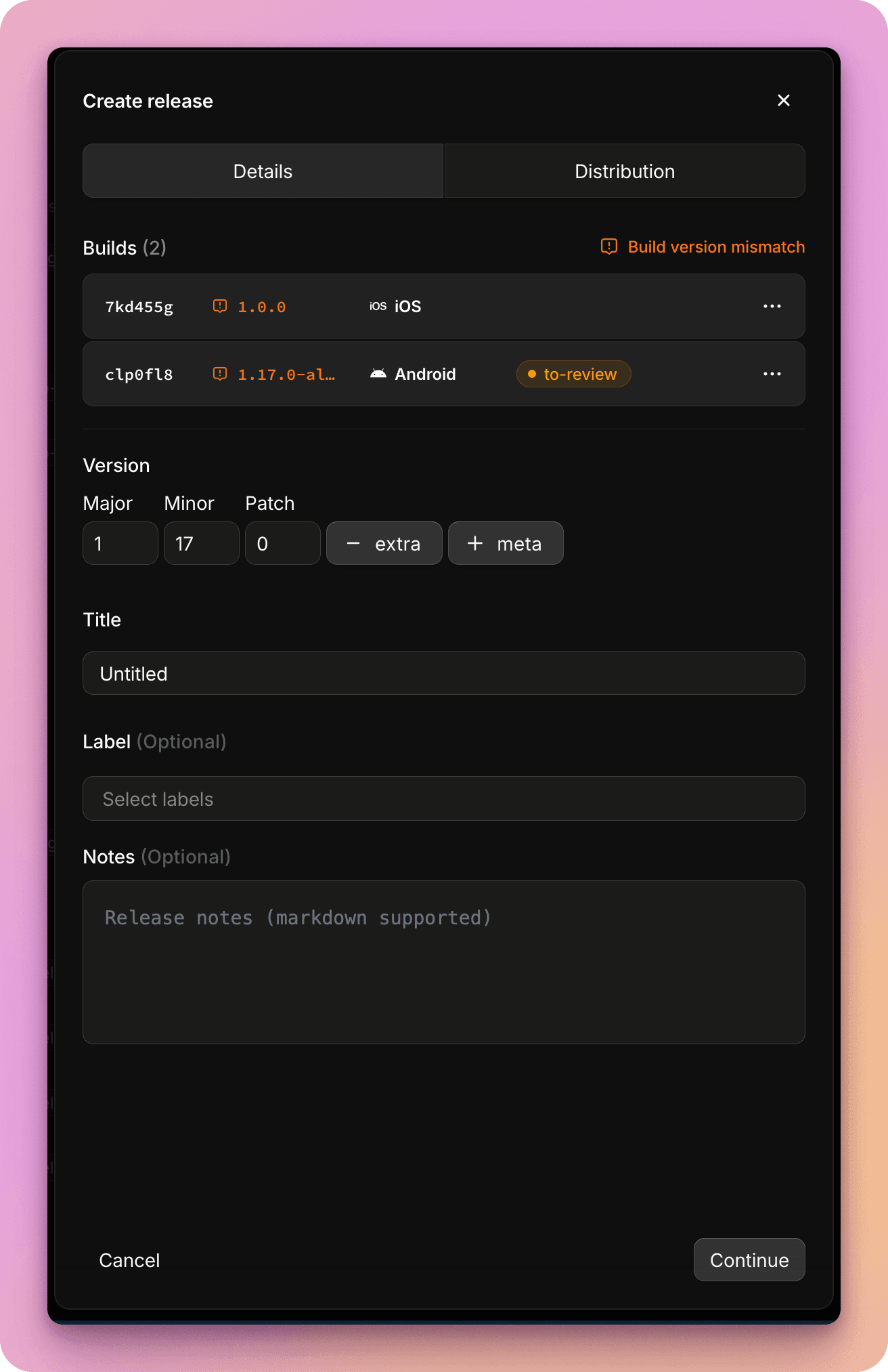
Once you've selected the builds you'd like to attach to the release, you can provide a semantic version and release notes.
The release version will be autofilled based on the latest version of the selected builds. If selected builds don't have a consistent version set, this will be highlighted, to allow you to confirm the correct semantic version.
Release notes
Release notes can be provided in markdown format, with full support for GitHub Flavored Markdown, including code samples and highlighting.
Browsing and filtering releases
You can view releases within your application, under the "Releases" tab. From this list of all past releases, you can filter by platform, label, or stream. You can also filter for releases attached to a specific distribution group or portal. Or search for a release by name or version code.
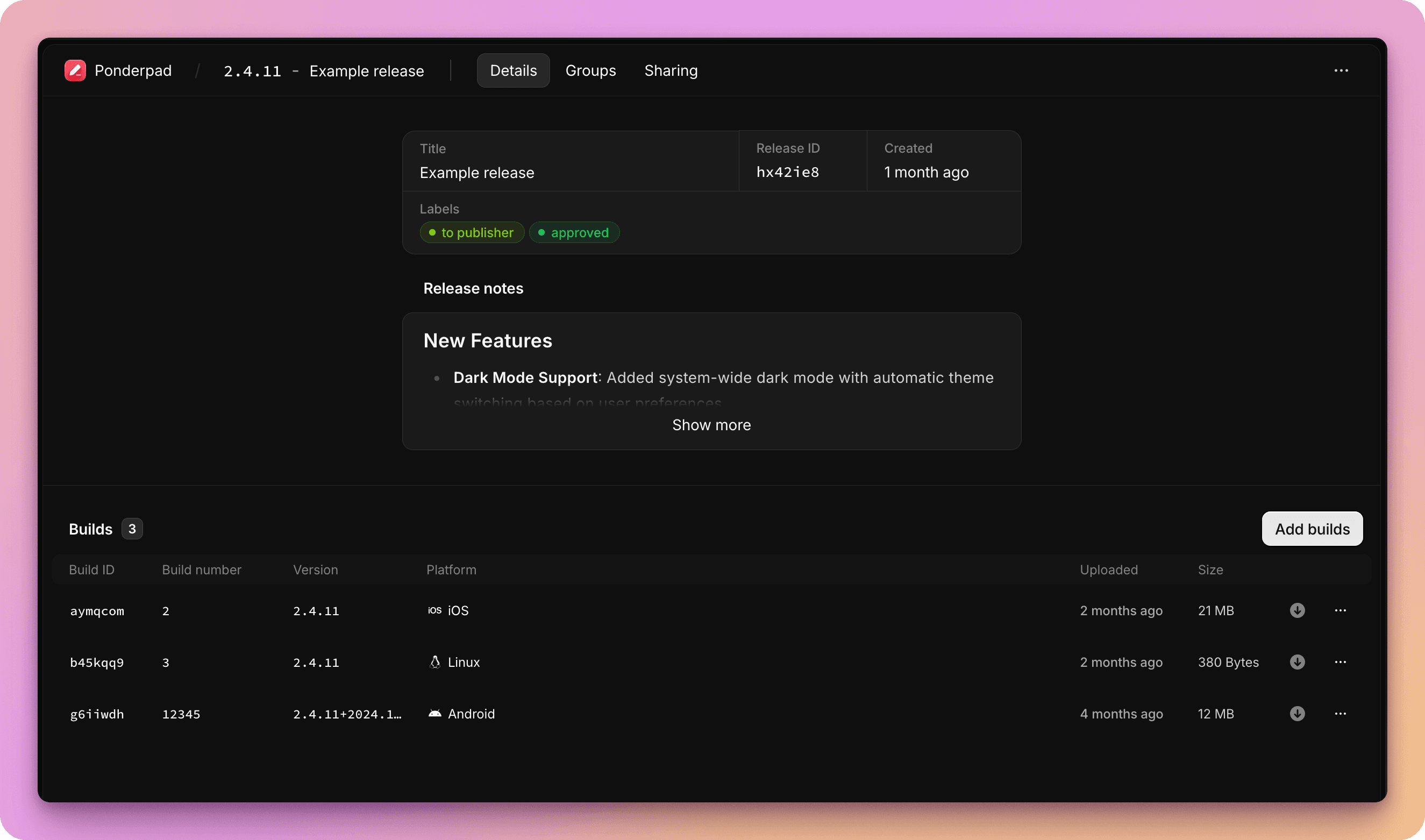
Here you can select a specific release to view. In the release summary you can view release notes, attached builds, and manage share links and attached distribution groups.
Editing releases
When viewing a release within your workspace, you can easily add or remove builds attached to it, or amend release data fields such as version or release notes.
Sharing and distribution
Releases can be shared and distributed in a number of different ways:
- Via share links
- Automated notifications via email or webhook, or to a Slack channel
- Sent to distribution groups
- Published to a portal
Download release
When opening a release download page via a share link or distribution group users will see a summary with release notes, and links to download each build.
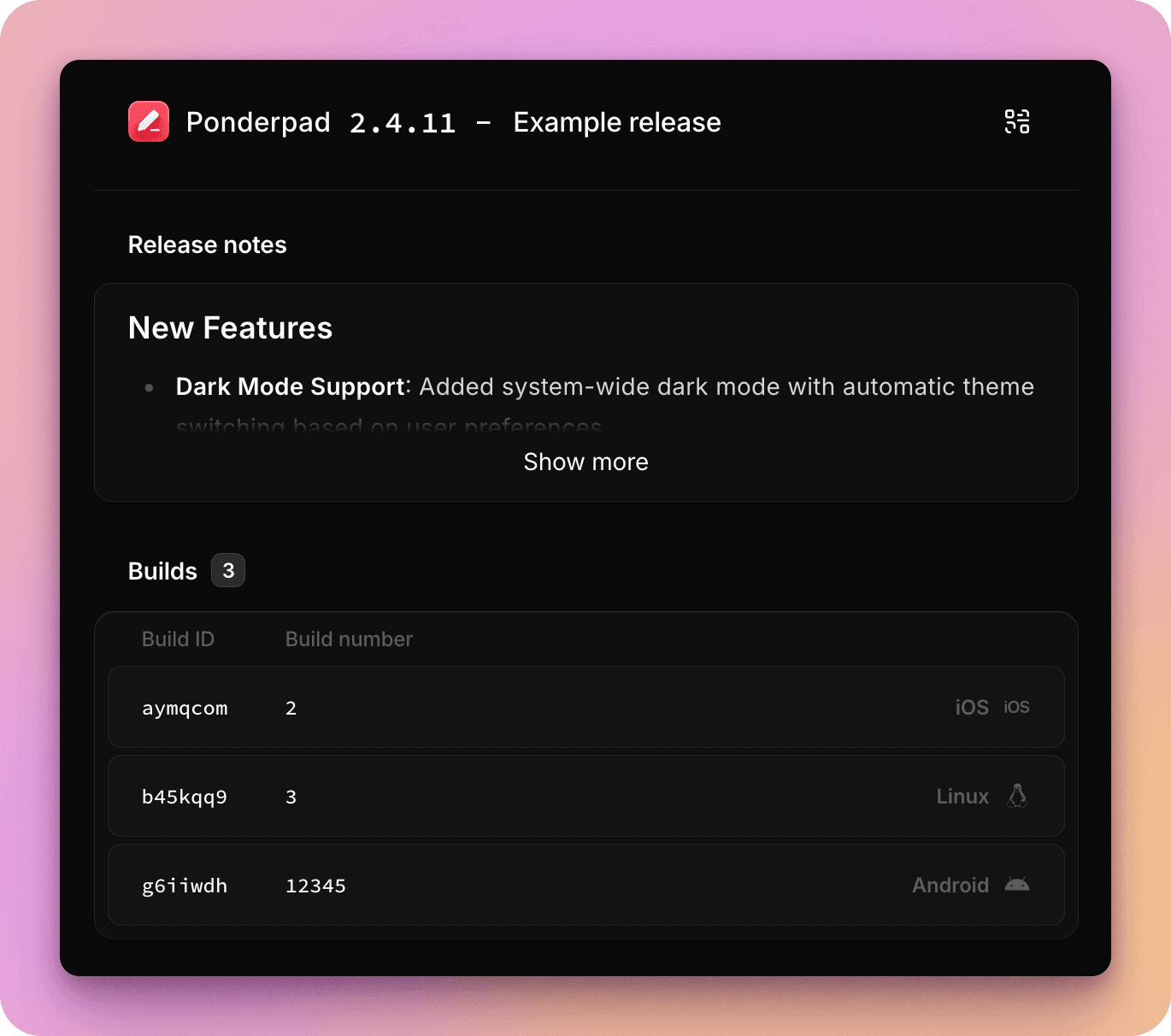
For mobile builds attached to the release, users will be guided through the installation flow for their device including ad-hoc distribution support for iOS and Android.